PC-1929 Stop Arm Camera 2 Firmware Version 2.1.0
Release Date 02/05/2026
How do I know which model I have?
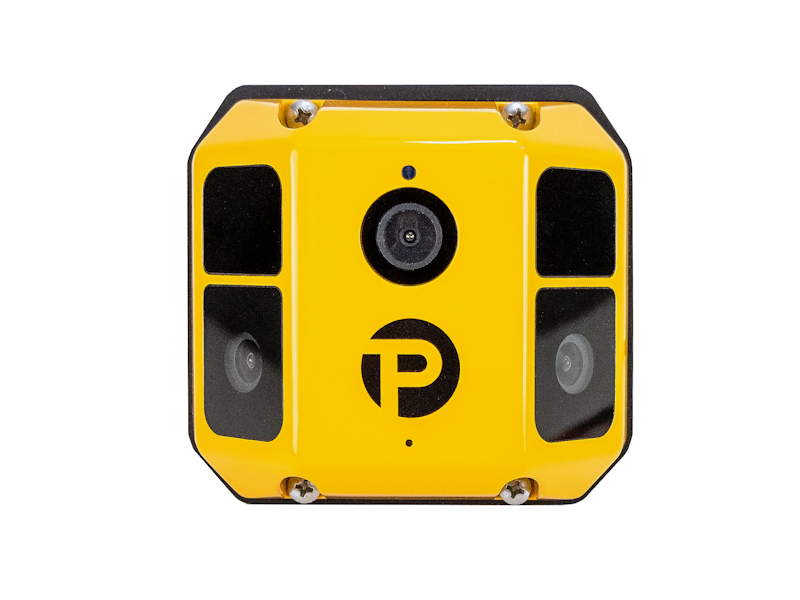
- This camera has a unique design with three lens' as shown in the product photo on this page
- The model number on the back of unit is PC-1929
- The serial number on the back of the unit contains xxxSA2Cxxxx
What's New
Changed
- Enhanced vehicle detection accuracy
- Reduced false alarm rate
- Shortened pre and post event time
Update Instructions
Automated: Over the Air (OTA) via internet connection
- When the DVR powers on it will connect to the internet.
- Once connected, the DVR will report the serial number and current firmware version of the camera
- If a new version is available, the version information and download link will be sent to the DVR
- After the firmware downloads, the Stop Arm Camera 2 will automatically update the next time the DVR boots up.
Non-internet connected devices
- Plug an SD card into the card slot on your PC
- Create a new folder named auto_upgrade in the root directory of the SD card
- Download the firmware from the link at the top of the page to the "auto_upgrade" folder on the SD card
- Insert the SD card into the DVR and power on the DVR. The Stop Arm Camera 2 firmware will be automatically upgraded after the DVR boots. The Stop Arm Camera 2 will reboot on its own in a few min with the new firmware. Note that the DVR will not reboot or beep during the Stop Arm Camera 2 firmware update.
Saved Successfully
Error Saving (see console for details)